
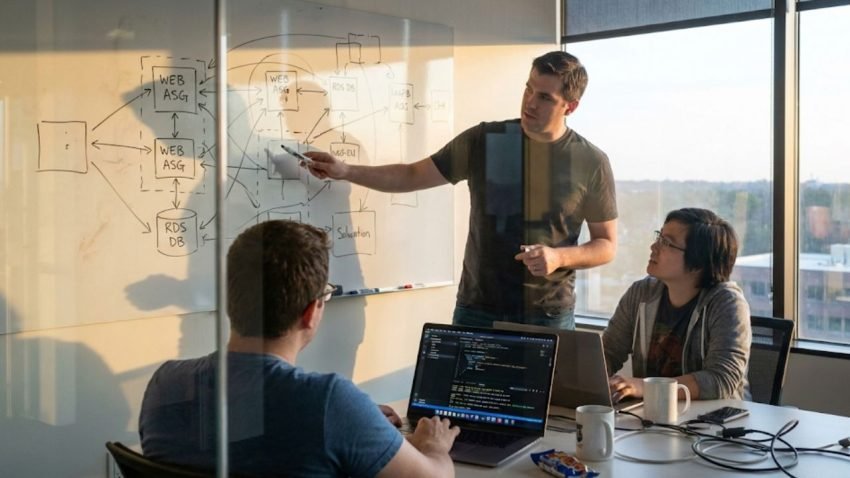
When you first log into Amazon Web Services (AWS) or Azure, it looks friendly. There are big orange buttons that say “Launch Instance” and nice dropdown menus to pick your hard drive size. It feels like shopping on Amazon.
But this dashboard is a trap.
In the professional world, clicking those buttons is called “Click-Ops,” and it is dangerous. If you manually click through 50 settings to build a server, you can never guarantee you will do it exactly the same way next time. You might forget a firewall rule. You might pick the wrong region.
That is why the first rule, the advanced cloud computer training teach is to stop using the mouse. You don’t build the cloud by hand; you build it with code.
The Problem with Manual Cloud Configuration
Imagine you want to build a house. You wouldn’t just walk onto a lot and start nailing boards together from memory. You would draw a blueprint first.
In the cloud, we use tools like Terraform or AWS CloudFormation. You open a simple text file and write a “recipe” for your infrastructure.
- “I want 3 Web Servers.”
- “I want 1 Database.”
- “Connect them with a Load Balancer.”
When you run this script, the cloud reads your instructions and builds everything automatically. It takes seconds. And the best part? If you need a second environment for testing, you don’t have to click through the menus again. You just run the script again.
How Version Control Improves Security
The nightmare scenario for any IT team is a “bad change.” Someone changes a security setting at 3:00 AM, breaks the app, and goes to sleep. The next morning, nobody knows what happened.
If you use the dashboard, there is no history. You can’t see who clicked what.
But if you use Code, you have a time machine. You store your infrastructure scripts in a version control system like Git. Every single change is tracked. You can see that “Dave changed the port from 80 to 8080 at 3:14 AM.”
If that change breaks the website, don’t panic. You just revert the code to the previous version and re-run the script. The cloud instantly snaps back to the state it was in yesterday. This safety net is a critical part of modern cloud computing courses online, turning chaotic troubleshooting into organized version control.
Understanding Configuration Drift
Here is where the logic gets really cool. Sometimes, things change without permission. Maybe a hacker breaks in and opens a port manually. Maybe a junior admin gets confused and deletes a server.
This is called Drift. It means reality no longer matches your blueprint.
Because your infrastructure is defined in code, your tools can automatically scan the environment. They compare what is running against what should be running. If they see a difference—like a mysterious new server that isn’t in the script—they alert you immediately. They can even auto-delete the unauthorized server to force reality back into alignment with the plan.
The Shift from Administrator to Architect
The transition from “Click-Ops” to “Code-Ops” is the moment you stop being a user and become an architect.
A user consumes the cloud. An architect defines it. When you treat your infrastructure like software, you gain the power to destroy and rebuild entire data centers with a single command. It is the closest thing to having superpowers in the IT world.