
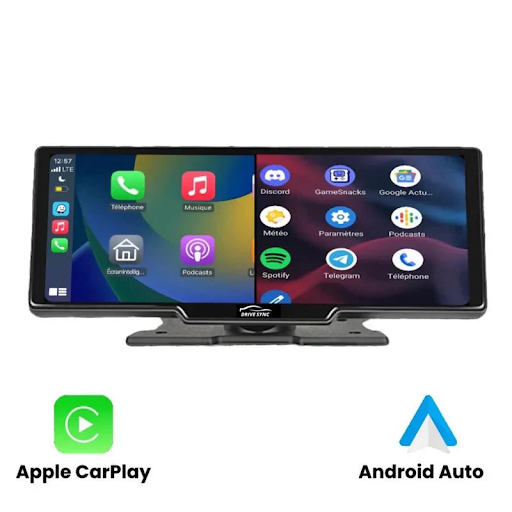
In today’s fast-paced world, seamless connectivity in vehicles has become essential. Devices like the Carsync Premium enhance in-car entertainment and navigation experiences, making driving more convenient and enjoyable. As a mini wireless CarPlay adapter, this device eliminates the need for tangled cables while ensuring a smooth connection between your smartphone and car’s infotainment system.
Before purchasing the Carsync Premium, understanding its technical specifications, features, and compatibility is crucial. In this guide, we will break down everything you need to know to make an informed decision.
What is Carsync Premium?
Carsync Premium is a plug-and-play wireless CarPlay adapter that allows users to convert a wired Apple CarPlay system into a wireless one. This device is particularly useful for drivers who prefer a cord-free experience while still accessing navigation, calls, music, and other CarPlay functions.
Unlike traditional wired CarPlay connections, Carsync Premium offers instant pairing, fast data transmission, and stable performance, ensuring minimal disruptions while driving.
Key Technical Specifications of Carsync Premium
Before making a purchase, it’s essential to know the hardware and software specifications of the Carsync Premium mini wireless CarPlay adapter. Below are the major details:
1. Wireless Connectivity & Compatibility
- Technology: Supports wireless CarPlay conversion via Bluetooth and Wi-Fi.
- Compatible Systems: Works with factory-installed wired CarPlay systems.
- Supported Vehicles: Compatible with most 2020+ car models that have built-in wired CarPlay.
- iOS Support: Works with iPhones running iOS 10 and above.
2. Performance & Response Time
- Processor: Equipped with a high-speed chipset for seamless operation.
- Latency: Ultra-low latency (under 3 seconds) for real-time interaction.
- Reconnection Speed: Auto-reconnects in under 5 seconds when restarting the car.
3. User Interface & Control
- Touchscreen Control: Works directly with factory infotainment screens.
- Steering Wheel Integration: Retains steering wheel button functions for easy control.
- Voice Assistant Support: Compatible with Siri voice commands.
4. Power & Connectivity
- Input Power: USB-A or USB-C powered for versatile compatibility.
- Power Consumption: Low-energy operation to avoid battery drain.
- Cable Requirements: Comes with a USB-A to USB-C adapter for universal use.
Top Features of Carsync Premium
The Carsync Premium mini wireless CarPlay adapter offers multiple features designed to enhance convenience, efficiency, and ease of use.
1. Seamless Wireless CarPlay Experience
- Eliminates the need for plugging in cables every time you enter the car.
- Automatically pairs with your iPhone upon starting the vehicle.
2. Fast & Stable Connectivity
- Uses Bluetooth for initial pairing and Wi-Fi for stable data transmission.
- Ensures minimal audio lag and smooth GPS updates for real-time navigation.
3. Auto-Reconnect Feature
- Saves pairing data and automatically reconnects without manual setup.
- Works reliably even after switching between different apps or restarting the engine.
4. Plug-and-Play Installation
- No technical expertise required – just plug it into the USB port for instant use.
- Doesn’t require modifying factory settings or additional apps.
5. Wide Vehicle Compatibility
- Works with most car brands, including Toyota, Honda, Ford, BMW, and Audi.
- Supports OEM factory-installed CarPlay units only (not aftermarket screens).
6. Retains Full CarPlay Functionality
- Allows access to Apple Maps, Google Maps, and Waze for navigation.
- Supports hands-free calling, voice control, and music streaming apps.
How to Install Carsync Premium?
One of the best aspects of Carsync Premium is its easy installation process. Follow these quick steps to set up the adapter:
- Plug the Carsync Premium adapter into the car’s USB-A or USB-C port (whichever supports wired CarPlay).
- Wait for the car’s infotainment system to detect the device.
- On your iPhone, go to Bluetooth settings and connect to the displayed Carsync Premium device.
- Once paired, CarPlay will automatically switch to a wireless connection.
- Enjoy wireless CarPlay with hands-free access to apps, navigation, and calls!
Factors to Consider Before Buying Carsync Premium
Before purchasing the Carsync Premium mini wireless CarPlay adapter, consider the following:
1. Car Compatibility
- Ensure that your car model supports factory-installed wired CarPlay.
- This adapter won’t work on cars without original CarPlay integration.
2. iPhone Compatibility
- Works only with iOS devices (iPhone 6 and later models running iOS 10+).
- Not compatible with Android Auto or non-Apple devices.
3. Connectivity Stability
- Cars with weaker Wi-Fi reception may experience occasional disconnections.
- Ideal for use in modern vehicles with strong wireless connectivity support.
4. Power Source & USB Port Availability
- Check whether your car has USB-A or USB-C ports to ensure proper fitment.
- Some older vehicles may require an additional adapter for compatibility.
Who Should Buy Carsync Premium?
The Carsync Premium wireless CarPlay adapter is ideal for:
- Frequent drivers who want to avoid the hassle of plugging in cables.
- Commuters who rely on navigation apps like Apple Maps or Google Maps.
- Music lovers who stream songs via Apple Music, Spotify, or YouTube Music.
- Hands-free users who prefer Siri voice commands for calls and messages.
- Car owners with factory-installed wired CarPlay looking to upgrade to wireless connectivity.
Final Thoughts
The Carsync Premium mini wireless carplay adapter is a convenient upgrade for any driver who wants seamless smartphone integration without cables. With fast connectivity, automatic reconnection, and easy installation, it eliminates the limitations of wired CarPlay while retaining all features.
Before purchasing, ensure your car model supports wired CarPlay, and enjoy a wire-free, smarter driving experience with Carsync Premium.