
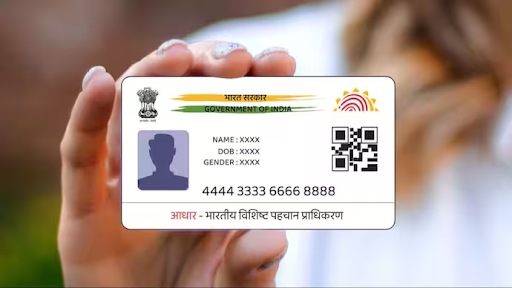
Aadhaar has become an essential document for Indians, serving as an identity proof for various transactions. Besides its prominent use in government services and banking procedures, ensuring the authenticity of an Aadhaar card is of paramount importance. One important aspect of verification is confirming the signature linked to an Aadhaar card. If you’re wondering how to verify signature in Aadhar card, the official UIDAI (Unique Identification Authority of India) process offers a robust and trustworthy method for ensuring its legality and credibility.
Additionally, this article will touch upon a related topic: CIBIL score check without PAN card, as it ties into financial activities commonly associated with Aadhaar usage. Read on to learn the step-by-step guide to verifying signatures on Aadhaar as well as additional financial tips.
Why Signature Verification on Aadhaar Matters
The signature on your Aadhaar card plays an essential role in establishing its authenticity, especially when you’re using it for official or financial transactions. Aadhaar is widely accepted for opening bank accounts, applying for loans, or availing various government schemes. The verification process is critical because:
- Prevention of Fraud: Ensuring the signature matches can help reduce cases of identity theft.
- Validation for Legal Use: Signature verification is essential for complying with certain regulations.
- Accuracy of Recordkeeping: It ensures your document is correctly linked to your Aadhaar identity.
Whether you need verification for employment, financial transactions, or document authentication, the official UIDAI process simplifies this task.
How to Verify Signature in Aadhaar Card Using UIDAI Official Process
The UIDAI system ensures transparency and accuracy in verifying your Aadhaar card details, including its signature. If you are looking for how to verify signature in aadhar card, below are the steps required to check or verify the signature associated with your Aadhaar:
Step 1: Visit UIDAI’s Official Website
Begin by visiting the official UIDAI portal at https://uidai.gov.in. This website is the one-stop solution for all Aadhaar-related services, including downloading, updating, and verifying details.
Step 2: Download e-Aadhaar
To verify the signature, you must have access to your e-Aadhaar. Follow these steps to download it:
- On the UIDAI homepage, click on “Download Aadhaar.”
- Choose the appropriate document type (e.g., Regular Aadhaar or VID, Virtual ID).
- Provide your Aadhaar number, enrollment ID, or VID and solve the CAPTCHA.
- Click on “Send OTP” and verify the OTP you received on your registered mobile number.
- After verification, download the PDF file containing your e-Aadhaar.
Step 3: Check the Digital Signature
Once you have downloaded the e-Aadhaar:
- Open the PDF file; it will be password-protected. The password usually consists of your initials and date of birth in the format specified.
- Locate the signature field at the bottom of the card. UIDAI ensures every e-Aadhaar contains a digital signature to verify authenticity.
- Click on the signature icon, which is typically marked as “valid” or “successful.” You can find an option to verify the signature.
Step 4: Verify the Digital Signature
- If your device doesn’t recognize the digital signature, you may need to validate it. Simply download the Digital Signature Validation Tool available on the UIDAI website or follow the instructions provided in the PDF file.
- After validating the signature, the document becomes fully verified, symbolizing its authenticity.
Step 5: Contact UIDAI for Issues
In case you face problems during signature verification, you can reach out to UIDAI through its helpline at 1947 or email them at help@uidai.gov.in.
Secondary Topic: How to Perform CIBIL Score Check Without PAN Card
Your Aadhaar card isn’t just useful for authentication tasks like signature verification; it also plays a role in financial activities, such as checking your credit score or accessing loans. While the PAN card is a common document used to check a CIBIL (Credit Information Bureau India Limited) score, many individuals may not have a PAN card. Fortunately, you can still perform a CIBIL score check without PAN card by using your Aadhaar card.
Here’s how:
- Visit the Official CIBIL Website: Begin by navigating to the CIBIL portal: https://www.cibil.com.
- Create an Account or Log In: Register yourself if you’re a first-time user or log in to your existing account.
- Provide Aadhaar Information: Instead of entering a PAN number, input your Aadhaar number. Ensure that your details like name and date of birth align with the information in your Aadhaar.
- Authenticate with Mobile Number: CIBIL will send an OTP to your registered mobile number for confirmation.
- View Your Score: Upon successful verification, your CIBIL score becomes accessible.
It’s prudent to check your CIBIL score regularly, especially if you’re planning to apply for loans, credit cards, or other financial products. Your Aadhaar offers a convenient alternative for the process if you don’t possess a PAN card.
Conclusion
The Aadhaar card is a vital document for every Indian citizen and serves multiple purposes, both in identification and financial transactions. Knowing how to verify signature in Aadhar card is critical to prevent fraud and ensure the accuracy of official records. The UIDAI’s official process offers a hassle-free way of confirming the validity of signatures using e-Aadhaar.
Furthermore, if you’re seeking to perform a CIBIL score check without PAN card, your Aadhaar can be the ideal substitute, especially for individuals who haven’t been issued a PAN. Both these procedures underline the importance of Aadhaar in everyday activities, whether it’s authentication or accessing financial services.
By understanding and following these processes, you can ensure greater security and convenience in your personal and official matters. Be sure to utilize UIDAI and CIBIL’s official portals for reliable and accurate results.